
Workflow Engine
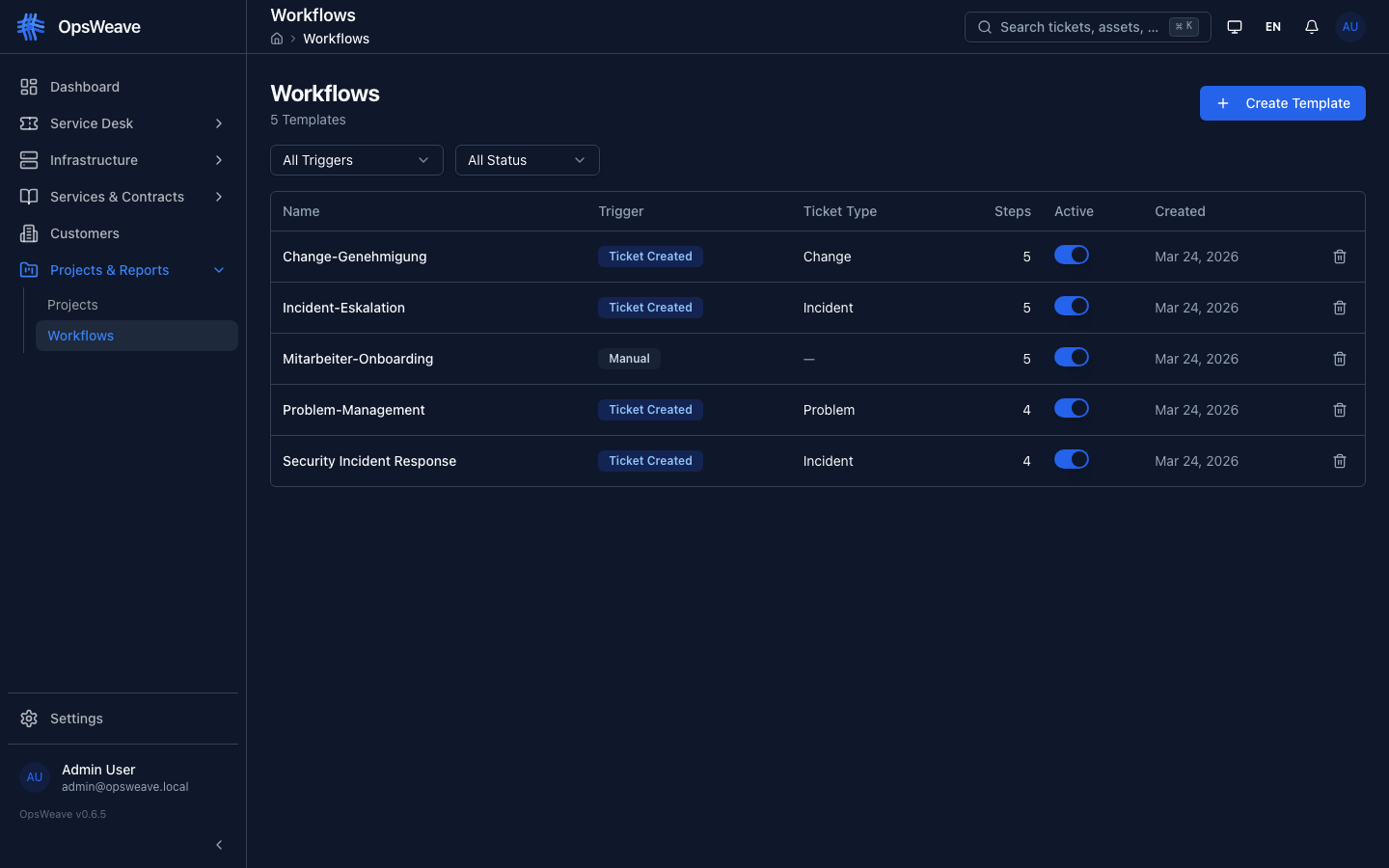
The Workflow Engine enables the automation and control of ITSM processes. Workflows are defined as templates and automatically triggered when tickets are created.
Concepts
Template: Definition of a workflow (steps, sequence, conditions)
Instance: Active run of a template, linked to a ticket
Step: Individual task within a workflow
Step Types
| Type | Description |
|---|---|
form | Agent fills out a form (free text, checkboxes) |
approval | Manager/lead must approve (approve/reject) |
condition | Automatic branching based on ticket attributes |
routing | Forwarding to another group/person |
automatic | Automatic action without manual interaction |
Trigger Types
Workflows are automatically triggered when a ticket is created:
| Trigger | Description |
|---|---|
ticket_type | Based on ticket type (incident, change, problem) |
ticket_type + subtype | Ticket type + subtype combination |
manual | Manually started by an agent |
Template Designer
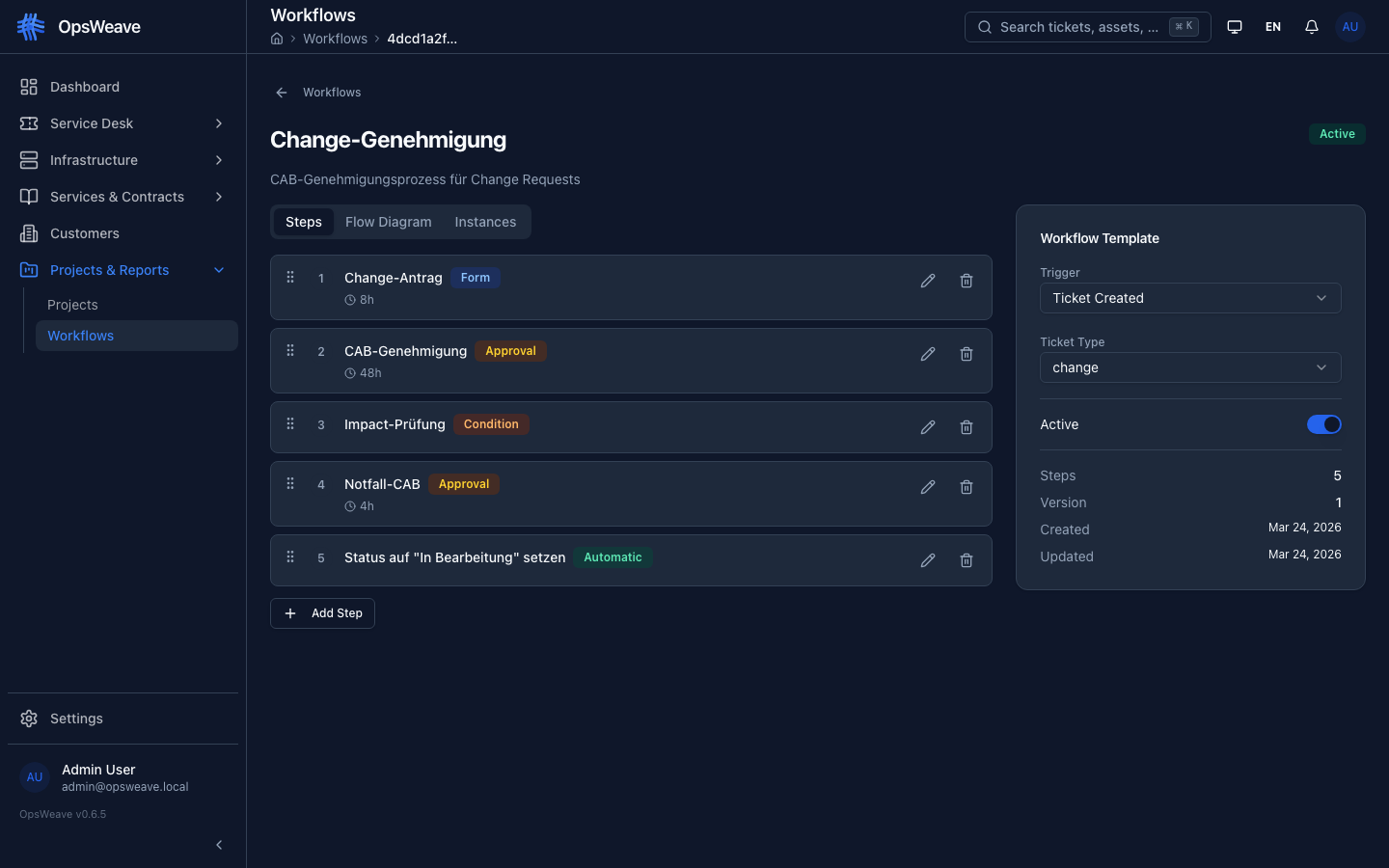
The visual designer uses React Flow:
- Drag & drop step cards
- Draw connections between steps
- Edit step properties inline
- Live preview of the workflow graph
Runtime
When a workflow is triggered:
- Workflow instance is created (status:
running) - First step is activated → responsible person/group is notified
- Person completes the step (fill out form, approve, etc.)
- Next step is activated
- For
conditionsteps: automatic branching - Last step completed → instance status:
completed
Progress in Ticket
The workflow tab in the ticket detail shows:
- Current step with progress bar
- All steps with status (pending, active, completed, skipped)
- Step completion form directly in the tab
Timeout & Escalation
Each step can have a timeout_hours field. When exceeded, the step is marked as timed_out and an escalation is triggered (configurable).
REST API
GET    /api/v1/workflows/templates           # All templates
POST   /api/v1/workflows/templates           # Create template
GET    /api/v1/workflows/templates/:id        # Detail
PUT    /api/v1/workflows/templates/:id        # Update
DELETE /api/v1/workflows/templates/:id        # Delete
POST   /api/v1/workflows/instantiate          # Manually trigger
GET    /api/v1/workflows/instances/:id        # Instance status
POST   /api/v1/workflows/instances/:id/steps/:sid/complete  # Complete step
POST   /api/v1/workflows/instances/:id/cancel # Cancel
Community Limit
Community Edition: 3 workflow templates per tenant.