
Monitoring & Event Management
OpsWeave integrates external monitoring systems and processes their events automatically. Supported systems include Check_MK (v1 Livestatus + v2 REST API) as well as any system via webhook inbound.
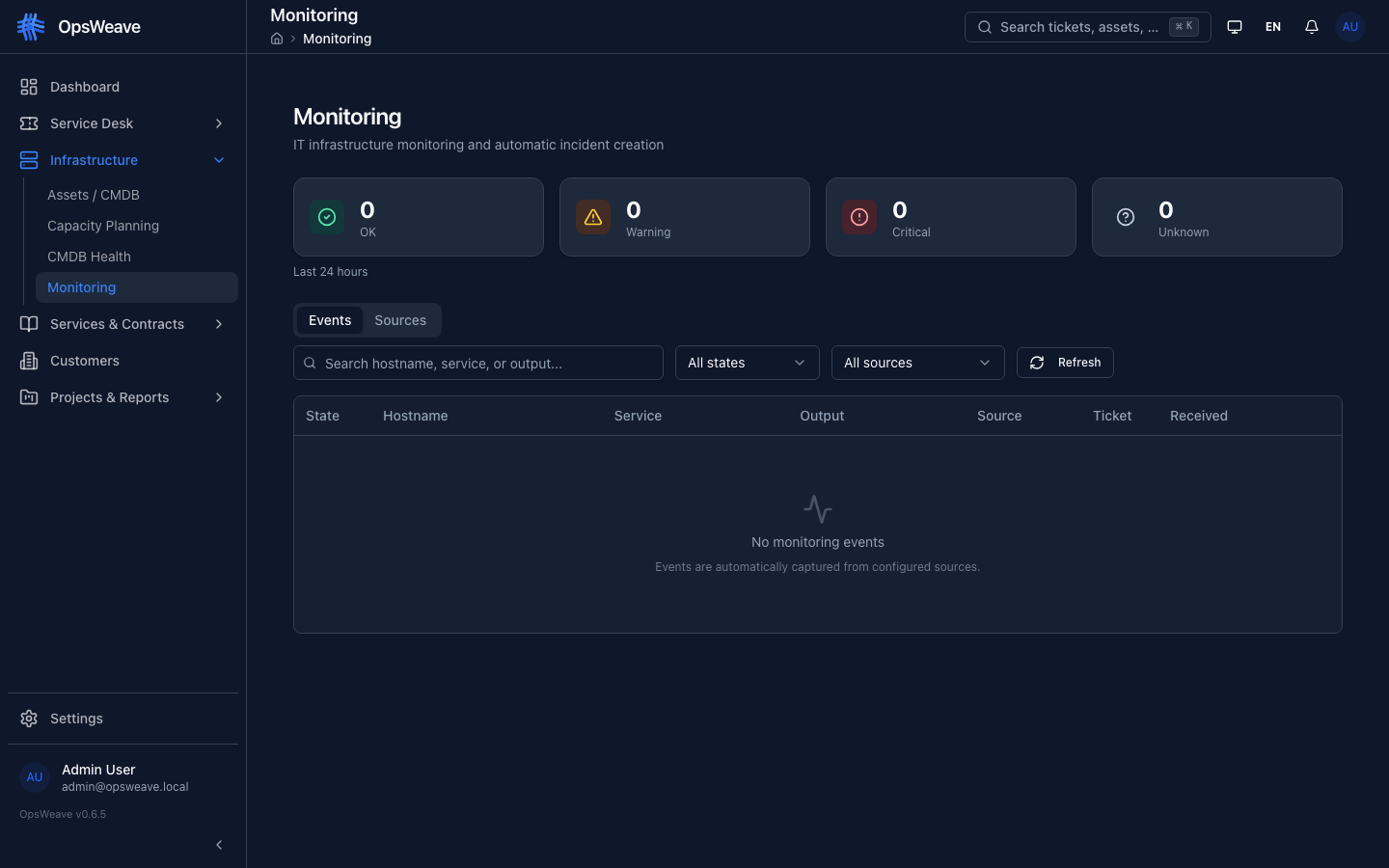
Monitoring Sources
Monitoring sources are centrally managed. Each source defines the type, connection details, and optional webhook secrets.
Supported Types:
| Type | Description |
|---|---|
checkmk_v1 | Check_MK 1.x via Livestatus protocol |
checkmk_v2 | Check_MK 2.x via REST API |
zabbix | Zabbix API |
prometheus | Prometheus Alertmanager |
generic_webhook | Any system via webhook |
Managing Sources
- Add — Name, type, connection configuration (JSON), webhook secret
- Edit — Adjust configuration, enable/disable
- Delete — Remove source (existing events are preserved)
- Connection Test — Verify reachability and authentication
Check_MK Integration
Version 1.x (Livestatus)
The integration uses the Livestatus protocol (TCP/Unix socket). OpsWeave regularly queries host and service status and creates events on state changes.
Configuration:
{
  "host": "checkmk.example.com",
  "port": 6557,
  "protocol": "tcp",
  "poll_interval_seconds": 60
}
Version 2.x (REST API)
The integration uses the official Check_MK REST API with an automation user and secret.
Configuration:
{
  "base_url": "https://checkmk.example.com/mysite/check_mk/api/1.0",
  "username": "automation",
  "secret": "...",
  "poll_interval_seconds": 60
}
Both versions are supported through an abstracted adapter — internal processing is identical.
Event Dashboard
The event dashboard shows all incoming monitoring events with status cards:
| Card | Color | Meaning |
|---|---|---|
| OK | Green | Service running normally |
| Warning | Yellow | Threshold exceeded |
| Critical | Red | Service down or critical |
| Unknown | Gray | Status unknown |
Filtering and Pagination
Events can be filtered by:
- Status (OK, Warning, Critical, Unknown)
- Hostname
- Service name
- Source (Monitoring Source)
- Processing status (processed / unprocessed)
- Time range
The result list is paginated (default: 25 per page).
Webhook Inbound
External systems can send events to OpsWeave via HTTP POST:
POST /api/v1/monitoring/events
Content-Type: application/json
X-Webhook-Secret: <secret>
The tenant is automatically determined from the webhook source configuration. The webhook secret is validated against the stored monitoring source.
Payload Fields:
| Field | Type | Description |
|---|---|---|
source_id | UUID | Monitoring source ID |
external_id | String | Event ID in source system |
hostname | String | Affected host |
service_name | String | Affected service |
state | String | OK, Warning, Critical, Unknown |
output | String | Plugin output / description |
Asset Matching
Incoming events are automatically matched against assets in the CMDB. The matching algorithm compares the event's hostname with:
- Asset name (exact match)
- Asset display name (exact match)
- IP address (if included in the event)
On a successful match, the event is linked to the asset (matched_asset_id).
Auto-Incident Creation
For events with status Critical or Warning, OpsWeave can automatically create incidents:
- Event arrives with state
critical - Asset matching finds the affected asset
- Deduplication: Does an open ticket already exist for this asset + service?
- Yes — Event is assigned to the existing ticket
- No — A new incident ticket is created
- The ticket receives
source: 'monitoring'and references the event
When returning to status OK, the associated ticket can be automatically marked as resolved (auto-acknowledgment).
Auto-Acknowledgment
When a monitoring event with status OK arrives and an open incident ticket exists for the same host/service:
- The event is marked as processed
- Optionally: The ticket is automatically set to status "Resolved"
- A system comment documents the automatic change
This behavior is configurable per monitoring source.
REST API
GET    /api/v1/monitoring/sources          # List all sources
POST   /api/v1/monitoring/sources          # Add source
PUT    /api/v1/monitoring/sources/:id      # Edit source
POST   /api/v1/monitoring/events           # Receive event (webhook)
GET    /api/v1/monitoring/events            # List events (paginated, filterable)