
Knowledge Base
The knowledge base (KB) stores structured knowledge in Markdown articles and links them with tickets.
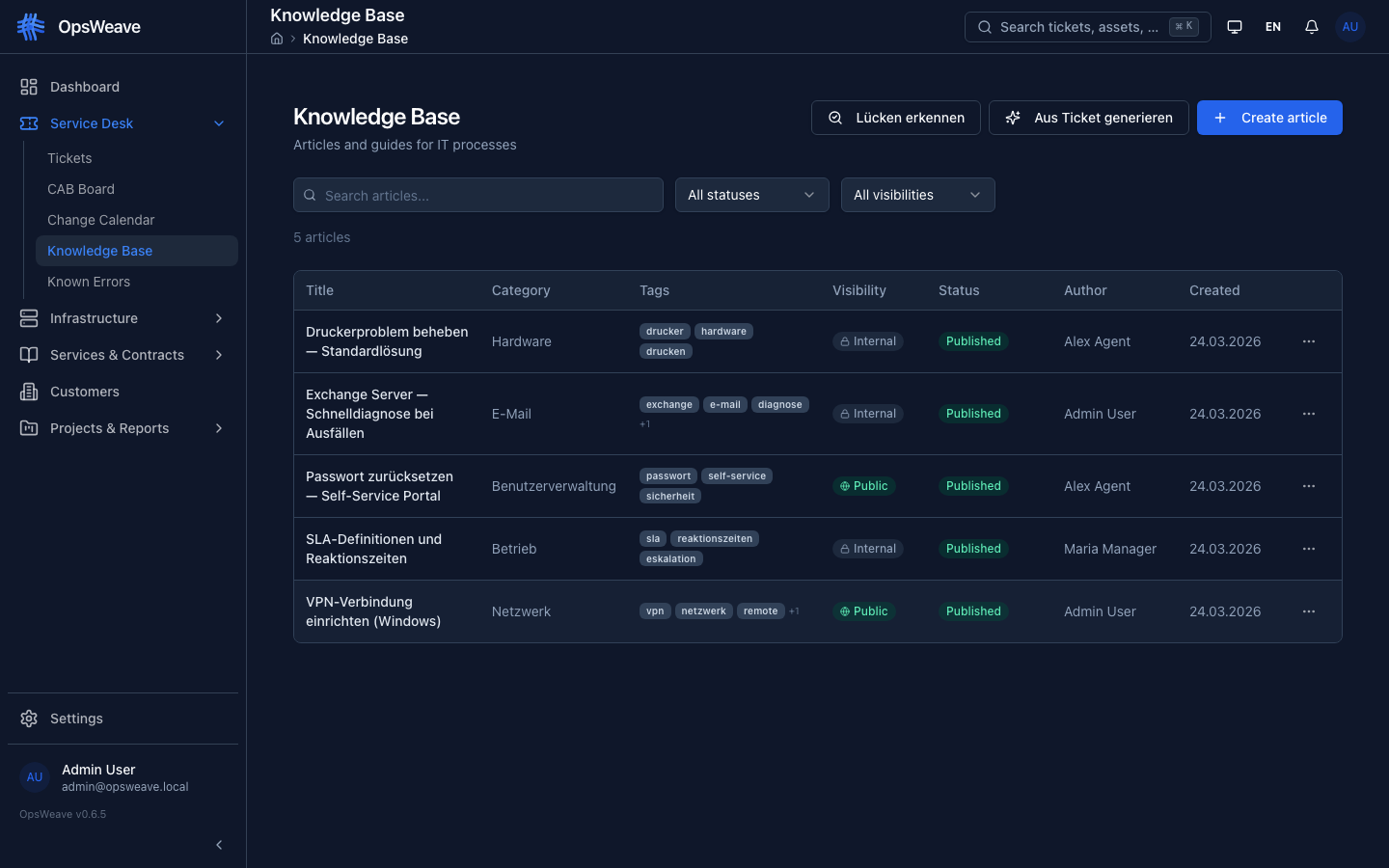
Articles
Each article has:
| Field | Description |
|---|---|
title | Article title |
slug | URL-friendly identifier (auto-generated) |
content | Markdown content |
category | Category (e.g. "Networking", "Guides") |
tags | Array of tags for filtering |
visibility | internal (agents only) or public (also customer portal) |
status | draft, published, archived |
Visibility
Internal (internal): Visible only to logged-in agents. Typical for: Escalation procedures, internal checklists, password policies.
Public (public): Also appears in the customer portal. Typical for: End-user guides, FAQ, known issues.
Ticket Linking
Articles can be linked to tickets:
- "Known Issue" → references all affected incidents
- "How-To" → linked to the change that requires the guide
Links appear:
- In the Knowledge Base tab of the ticket (all linked articles)
- In the article detail under
linked_ticket_ids
Search
- Full-text search across title and category
- Filters: Status, visibility, category
- In the portal: only published, public articles
REST API
GET    /api/v1/kb/articles                    # List (filter, paginate, search)
POST   /api/v1/kb/articles                    # Create
GET    /api/v1/kb/articles/:id                # Detail with linked_ticket_ids
PUT    /api/v1/kb/articles/:id                # Update
DELETE /api/v1/kb/articles/:id                # Delete (+ links)
POST   /api/v1/kb/articles/:id/link/:ticketId # Link to ticket
DELETE /api/v1/kb/articles/:id/link/:ticketId # Remove link
Filter Parameters
GET /api/v1/kb/articles?q=exchange&status=published&visibility=public&category=Networking
GET /api/v1/kb/articles?linked_ticket_id=<uuid>  # Articles linked to ticket