
Major Incidents & Escalation
OpsWeave supports the complete ITIL-compliant incident management process including major incidents, escalation levels, problem management, and a Known Error Database (KEDB).
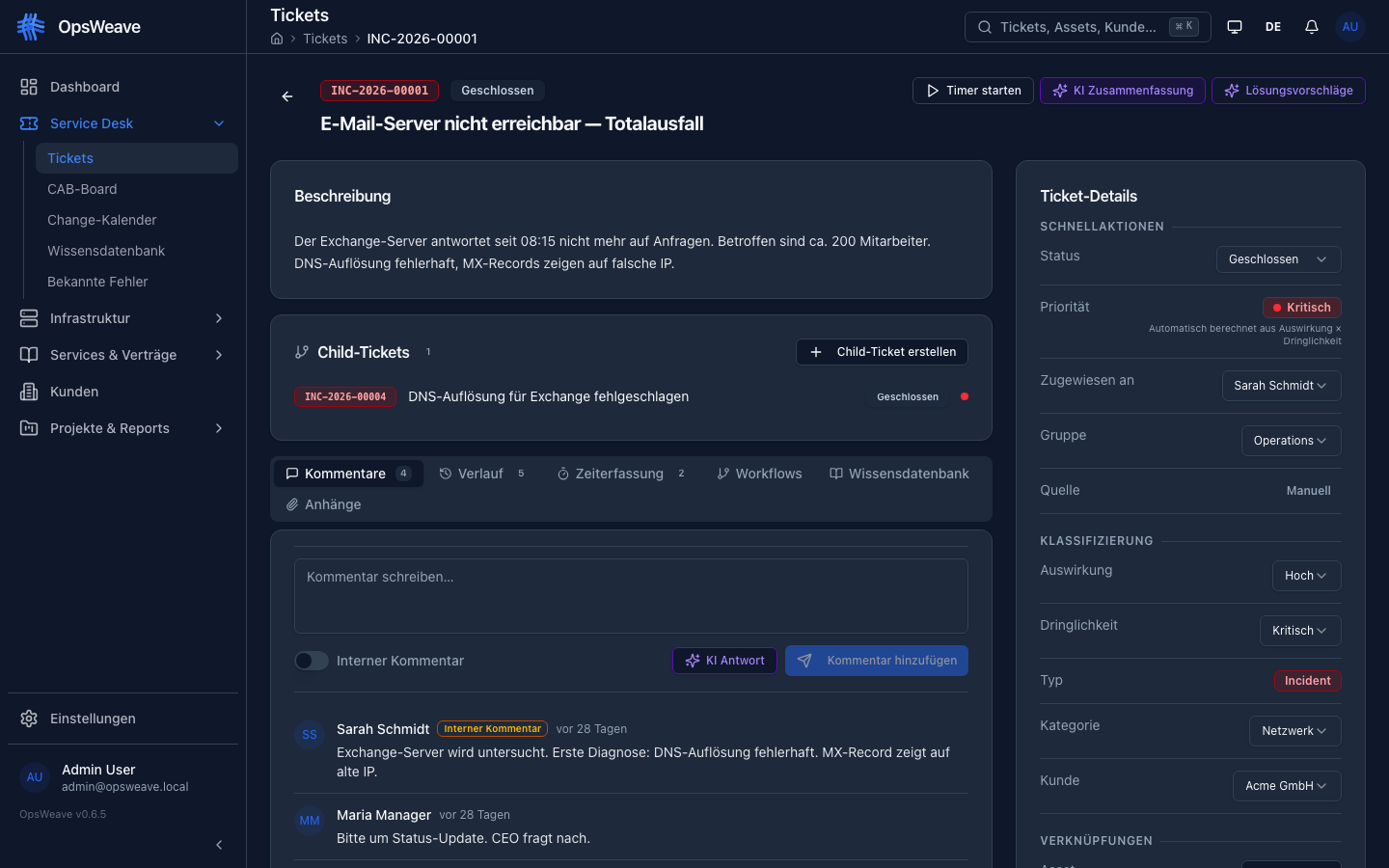
Major Incidents
A major incident is an incident with significant impact on business-critical services that requires a coordinated response.
Declaration
An incident can be declared as a major incident by:
- Manual designation by a manager or admin
- Automatic detection based on impact + affected assets
Upon declaration, the following fields are set:
is_major: trueincident_commander_id— Responsible incident commanderbridge_call_url— URL for the crisis call (e.g. Teams/Zoom link)
Incident Commander
The incident commander coordinates the resolution of the major incident:
- Assigned upon declaration
- Responsible for communication and coordination
- Can delegate child tickets to different teams
- Documents progress in the ticket
Notifications
Upon declaration of a major incident, the following are automatically notified:
- All users with the Admin role in the tenant
- All users with the Manager role in the tenant
- The assigned incident commander
- The assigned group
Notifications are delivered via:
- In-app notifications (Socket.IO realtime)
- Optionally: Email notification
Bridge Call
The bridge call URL is prominently displayed in the ticket detail, allowing all participants to quickly join the crisis call.
Escalation
OpsWeave supports a three-level escalation model:
| Level | Label | Description |
|---|---|---|
| L1 | First Level | Initial intake and basic diagnosis |
| L2 | Second Level | Specialized technical analysis |
| L3 | Third Level | Experts, developers, vendor support |
Escalation Process
- Ticket is created and assigned to L1 group
- L1 cannot resolve — escalation to L2
- L2 cannot resolve — escalation to L3
For each escalation, the following is captured:
- Target group — Which group is being escalated to
- Justification — Why the escalation is happening
- Timestamp — When the escalation occurred
- Escalated by — Who escalated
Escalations are documented in the ticket history and can also be reversed (de-escalation).
Problem Management
Problem tickets (PRB) are used for root cause analysis (RCA) of recurring incidents.
Root Cause Analysis (RCA)
Problem tickets have additional fields:
root_cause— Description of the identified causeworkaround— Temporary workaroundpermanent_fix— Description of the permanent fixrca_completed_at— Time of completed analysis
Parent-Child Relationships
Incidents and problems can be linked hierarchically:
Problem (PRB-2026-00005) — Root Cause: Memory overflow
  ├── Incident (INC-2026-00041) — Web portal unreachable
  ├── Incident (INC-2026-00042) — API timeouts
└── Incident (INC-2026-00043) — Batch jobs failed- A problem can have multiple child incidents
- A major incident can have multiple child tasks (sub-tickets)
- Child tickets are displayed in the ticket detail under "Child Tickets"
- When the problem is resolved, all child incidents can be closed
Known Error Database (KEDB)
The Known Error Database documents known errors and their workarounds.
KEDB Entries
Each known error contains:
| Field | Description |
|---|---|
| Title | Short description of the known error |
| Symptoms | How does the error manifest? |
| Cause | What causes the error? |
| Workaround | Temporary workaround |
| Permanent Fix | Planned or implemented resolution |
| Status | Current status of the known error |
| Affected Assets | Linked CIs from the CMDB |
| Linked Tickets | Associated incidents and problems |
KEDB Status
| Status | Description |
|---|---|
| Identified | Error is known, no solution yet |
| Workaround Available | Temporary workaround documented |
| Resolved | Permanent fix implemented |
Managing KEDB
- Create — Add new known error (manually or from problem ticket)
- Edit — Update status, add workaround/fix
- Search — Full-text search across title, symptoms, cause
- Filter — By status, affected assets, creation date
- Link — Connect known error with incidents/problems
During ticket processing, matching KEDB entries are suggested to resolve recurring problems faster.
REST API
# Tickets (including Major Incident + Escalation)
GET    /api/v1/tickets                     # List (filter: is_major, ticket_type)
POST   /api/v1/tickets                     # Create (including parent_ticket_id)
GET    /api/v1/tickets/:id                 # Detail (including RCA fields, children)
PUT    /api/v1/tickets/:id                 # Update (major declaration, RCA)
PATCH  /api/v1/tickets/:id/status          # Change status
PATCH  /api/v1/tickets/:id/assign          # Assign / escalate
GET    /api/v1/tickets/:id/history         # History (including escalations)
GET    /api/v1/tickets/:id/comments        # Comments

# Known Error Database
GET    /api/v1/kedb                        # List KEDB entries
POST   /api/v1/kedb                        # Create known error
GET    /api/v1/kedb/:id                    # Known error detail
PUT    /api/v1/kedb/:id                    # Update known error
GET    /api/v1/kedb/search?q=term          # Search KEDB
POST   /api/v1/kedb/:id/link/:ticketId     # Link to ticket
DELETE /api/v1/kedb/:id/link/:ticketId     # Remove link