
Change Advisory Board (CAB)
The Change Advisory Board (CAB) is the central body for evaluating and approving change requests in OpsWeave. It ensures that changes to the IT infrastructure are reviewed and documented in a structured manner.
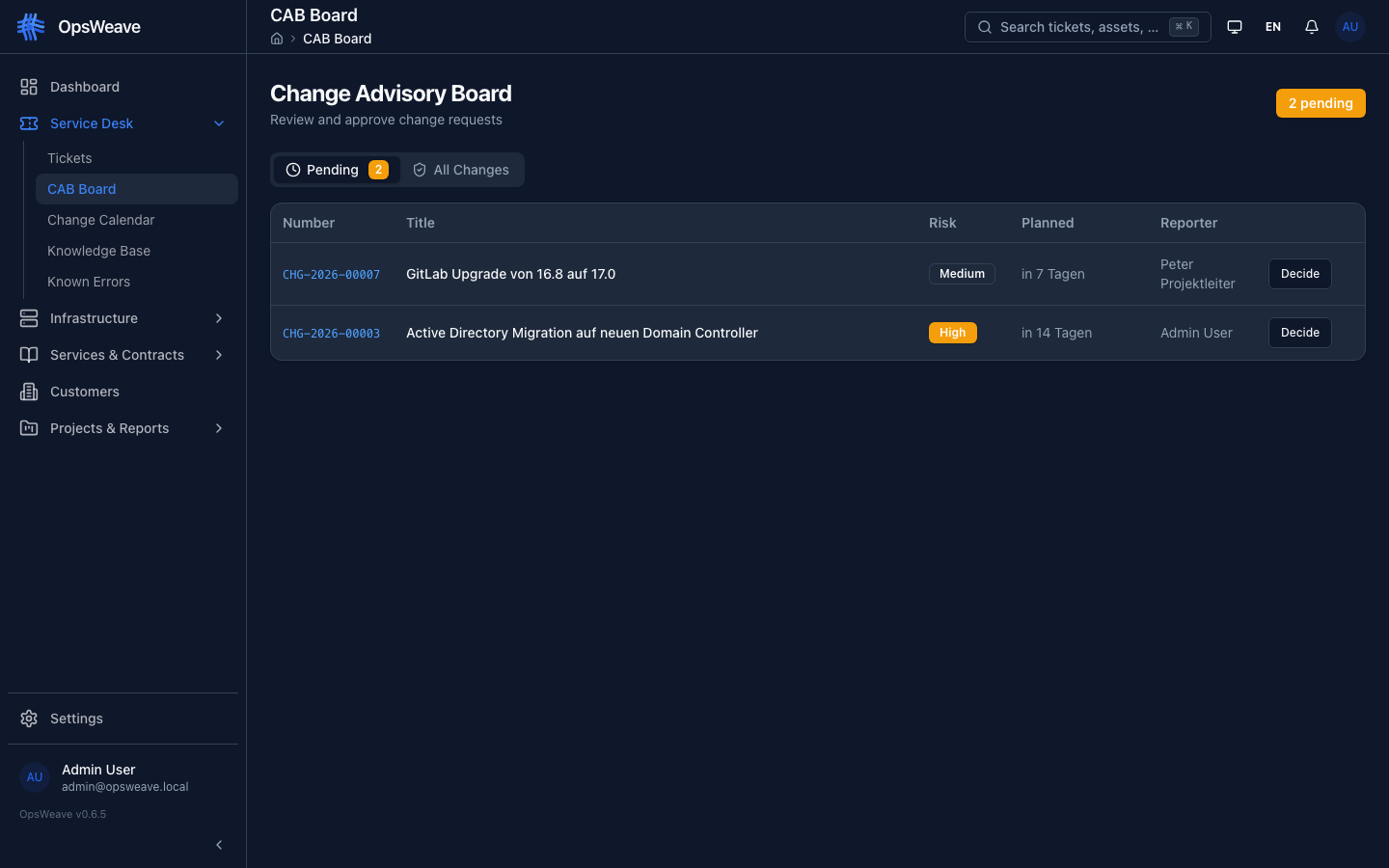
CAB Board
The CAB page provides a clear overview of all change requests that require a CAB evaluation.
Tabs
| Tab | Content |
|---|---|
| Pending | Change requests with status "CAB Review" — not yet evaluated |
| All Changes | Complete list of all change requests (including already evaluated ones) |
Each entry shows:
- Ticket number (e.g.
CHG-2026-00015) - Title and short description
- Risk level (color-coded)
- Planned implementation date
- Assigned group
- Current status
Decision Workflow
CAB members can make a decision for each change request:
| Decision | Description |
|---|---|
| Approve | Change is released for implementation |
| Reject | Change is rejected with justification |
| Defer | Change is postponed, re-evaluation required |
Each decision requires a note with justification. The decision is logged in the ticket history.
Process
- Agent creates change request with
cab_required: true - Ticket appears in the CAB board under "Pending"
- CAB members review RFC details and risk assessment
- Decision is made (Approve/Reject/Defer)
- On approval: Ticket moves to the next workflow step
- On rejection: Ticket is routed back to the creator
Risk Assessment
Each change request contains a structured risk assessment:
| Field | Values | Description |
|---|---|---|
| Risk Level | Low, Medium, High, Critical | Overall risk of the change |
| Likelihood | Low, Medium, High | Probability of negative impact |
| Impact | Low, Medium, High | Severity if a problem occurs |
The risk level is displayed as a color-coded badge:
- Low — Green
- Medium — Yellow
- High — Orange
- Critical — Red
RFC Details
The Request for Change (RFC) contains all relevant information for the CAB evaluation:
| Section | Content |
|---|---|
| Justification | Why is the change necessary? |
| Implementation Plan | Step-by-step description of the implementation |
| Rollback Plan | Measures in case of failed implementation |
| Planned Start | Date and time of change start |
| Planned End | Expected completion of the change |
| Affected Assets | Linked CIs from the CMDB |
| Affected Services | Impacted IT services |
Integration with Change Tickets
Change tickets (CHG) have additional fields compared to incidents and problems:
cab_required(Boolean) — Determines whether a CAB review is requiredrisk_level— Risk level (low, medium, high, critical)risk_likelihood— Likelihood of occurrencerisk_impact— Impact if it occursjustification— Justification for the changeimplementation_plan— Implementation planrollback_plan— Rollback planplanned_start— Planned startplanned_end— Planned end
Change Subtypes
| Subtype | CAB Required | Description |
|---|---|---|
| Standard | No | Pre-approved, low-risk change |
| Normal | Yes | Standard change with CAB evaluation |
| Emergency | Retroactively | Emergency change, CAB review after implementation |
REST API
GET    /api/v1/tickets?ticket_type=change&status=cab_review   # Pending CAB reviews
GET    /api/v1/tickets?ticket_type=change                      # All changes
GET    /api/v1/tickets/:id                                     # Change detail with RFC fields
PUT    /api/v1/tickets/:id                                     # Update change
PATCH  /api/v1/tickets/:id/status                              # CAB decision (change status)
GET    /api/v1/tickets/:id/history                             # History including CAB decisions