
CMDB / Assets
The Configuration Management Database (CMDB) is the heart of OpsWeave. Assets (Configuration Items) are the central entity — everything else references them.
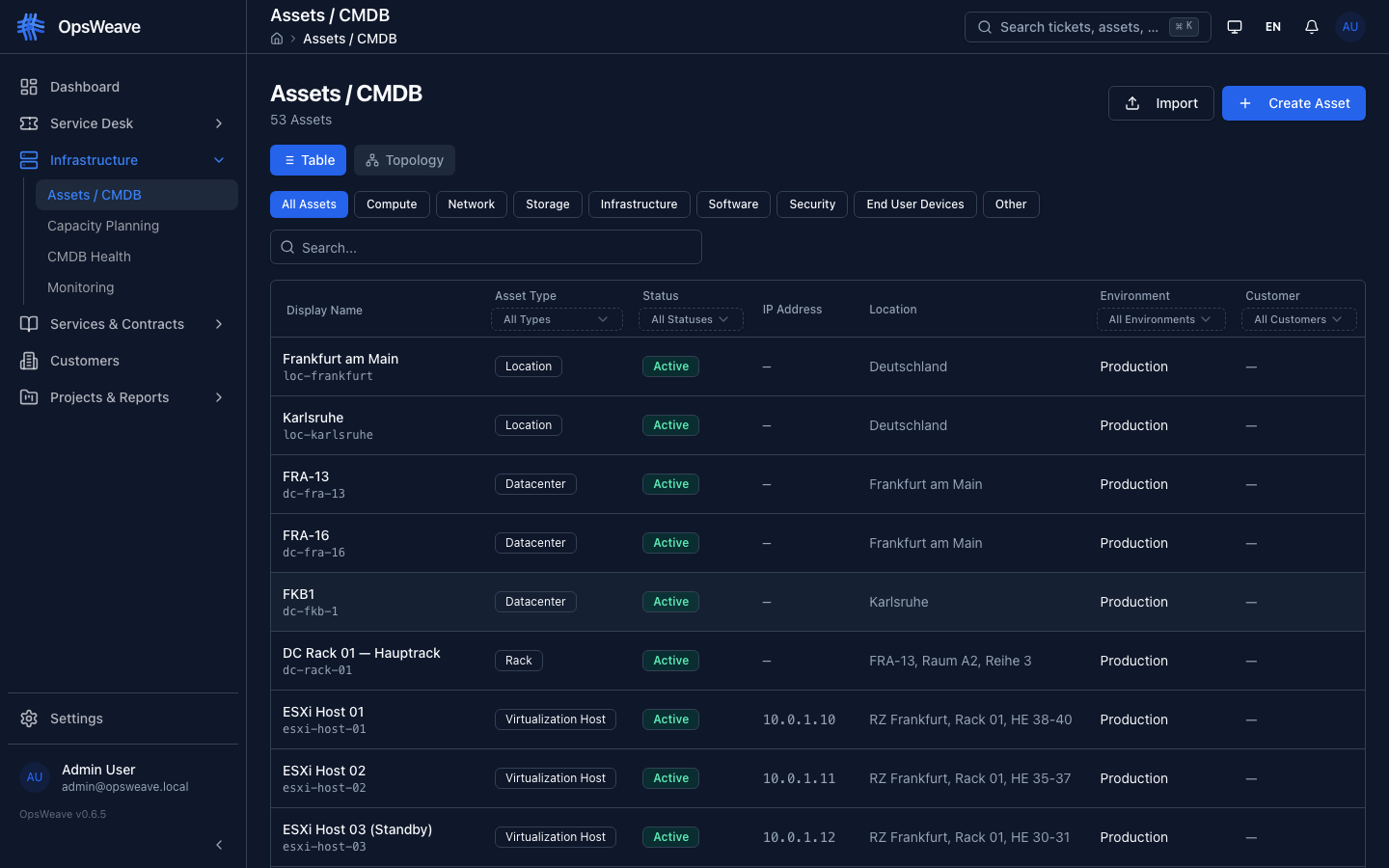
Asset Types
OpsWeave supports 24 asset types in 7 categories:
| Category | Types |
|---|---|
| Compute | Server, Virtual Machine, Container, Cloud Instance |
| Network | Router, Switch, Firewall, Load Balancer, Access Point |
| Storage | NAS, SAN, Backup System |
| Software | Operating System, Application, Database, Web Service, API |
| Security | Certificate, VPN, Identity Provider |
| Facility | UPS, PDU, Rack |
| Service | Business Service, IT Service |
Asset Attributes
Each asset has the following standard fields:
| Field | Description |
|---|---|
name | Technical name (e.g. "web-server-01") |
display_name | Display name |
asset_type | Type from the list above |
status | active, inactive, maintenance, decommissioned |
ip_address | IPv4/IPv6 (max. 45 characters) |
location | Physical location |
sla_tier | gold, silver, bronze (for SLA inheritance) |
environment | production, staging, development, test |
customer_id | Associated customer |
attributes | Arbitrary JSON attributes (extensible) |
Relations (DAG)
Assets can have arbitrary relationships with each other. The relationship model is a Directed Acyclic Graph (DAG) — cycles are prevented.
Relation Types:
| Type | Meaning |
|---|---|
depends_on | A depends on B |
runs_on | Software A runs on Server B |
connects_to | A is connected to B |
managed_by | A is managed by B |
part_of | A is part of B |
hosts | A hosts B |
backs_up | A backs up B |
monitors | A monitors B |
provides | A provides Service B |
SLA Inheritance
SLA tiers are inherited through the dependency graph: When Asset A depends on Asset B, A inherits the SLA tier from B (if A does not have its own SLA tier).
The inheritance depth is unlimited — a recursive CTE traverses the DAG.
Asset Detail
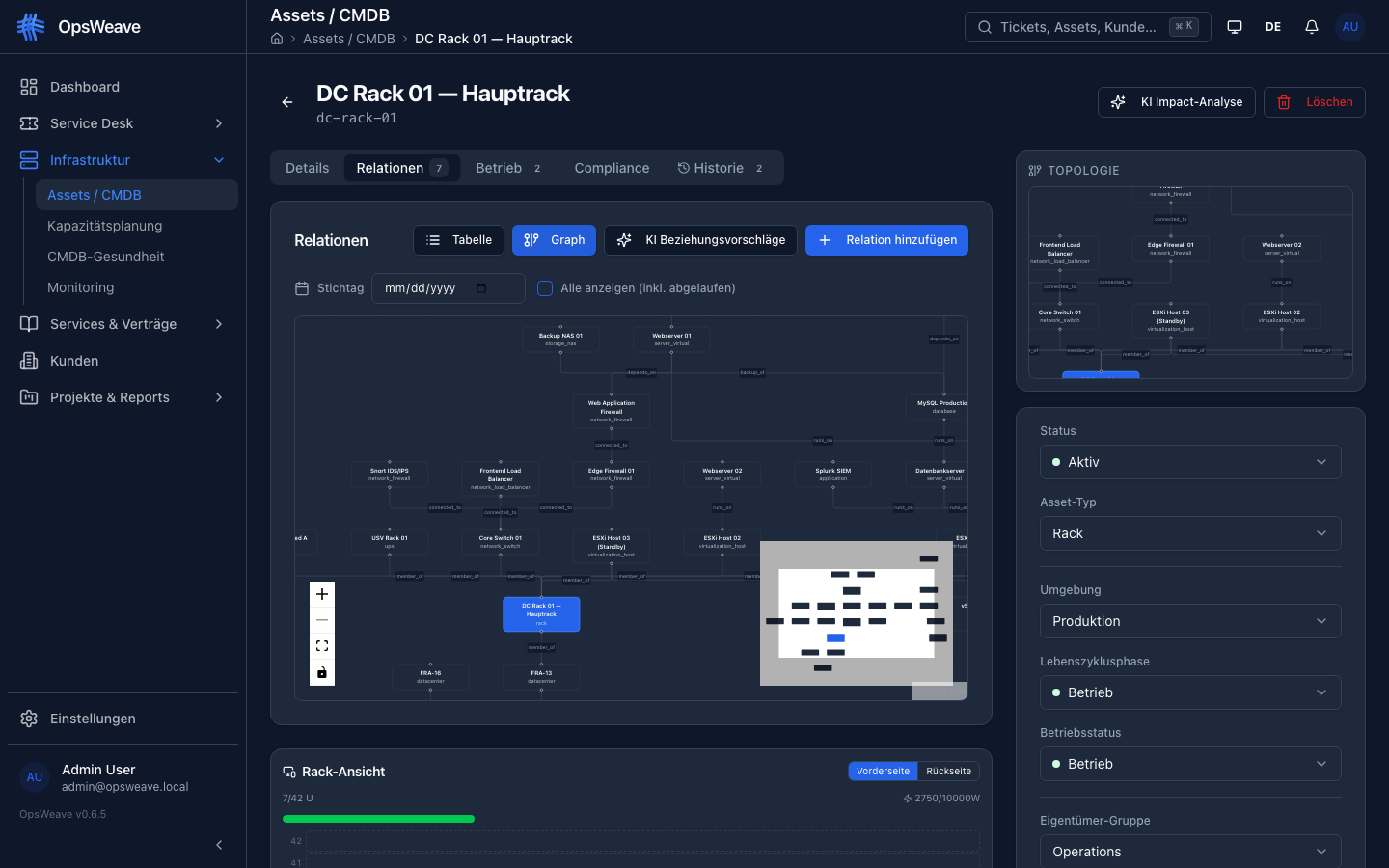
The asset detail view has three tabs:
Details: All attributes, inline editing, SLA chain
Relations: Visual graph representation (React Flow) of all dependent/linked assets
Tickets: All tickets referencing this asset
REST API
GET    /api/v1/assets                    # List (filter, search, paginate)
POST   /api/v1/assets                    # Create
GET    /api/v1/assets/:id                # Detail
PUT    /api/v1/assets/:id                # Update
DELETE /api/v1/assets/:id                # Delete
GET    /api/v1/assets/:id/relations      # Relations
POST   /api/v1/assets/:id/relations      # Add relation
DELETE /api/v1/assets/:id/relations/:rid # Remove relation
GET    /api/v1/assets/:id/sla-chain      # SLA inheritance chain
GET    /api/v1/assets/:id/tickets        # Linked tickets
GET    /api/v1/assets/:id/graph          # Graph data (React Flow format)
GET    /api/v1/assets/stats              # Statistics (total, by_type, by_status)
GET    /api/v1/assets/types              # Available asset types
Community Limit
The Community Edition allows up to 50 assets per tenant. A warning is displayed when the limit is reached. All existing assets remain fully usable.