
SLA Management
OpsWeave provides comprehensive SLA management with automatic deadline calculation, inheritance through the CMDB, and visual indicators throughout the system.
SLA Tiers
The SLA system is based on four tiers:
| Tier | Response Time | Resolution Time | Use Case |
|---|---|---|---|
| Gold | 1 hour | 4 hours | Business-critical systems |
| Silver | 4 hours | 8 hours | Important systems |
| Bronze | 8 hours | 24 hours | Standard systems |
| None | — | — | No SLA defined |
Times refer to business hours (configurable in settings).
SLA Definitions
SLA definitions specify which response and resolution times apply per tier and priority. Default values can be adjusted in the settings.
Deadline Calculation:
- Ticket is created or updated
- SLA tier is determined (directly on the ticket or via asset inheritance)
- Priority is calculated from Impact x Urgency
- Response deadline = creation time + response time for the tier
- Resolution deadline = creation time + resolution time for the tier
Assignment to Assets and Customers
SLA tiers can be assigned at two levels:
- Asset level — Each asset in the CMDB has an optional
sla_tierfield (gold, silver, bronze) - Customer level — Customers can have a default SLA tier applied to all their assets
Priority for determination:
- SLA tier set directly on the ticket (highest priority)
- SLA tier of the linked asset
- SLA tier of the customer
- No SLA (default)
SLA Inheritance
SLA tiers are inherited through the CMDB dependency graph. If an asset has no SLA tier of its own, the highest tier from dependent assets is adopted.
Example:
Business Service (Gold)
  └── depends_on → Web Server (no SLA)
       └── runs_on → VM Host (Silver)
The web server inherits Gold from the Business Service (highest tier in the chain).
Inheritance is calculated via recursive CTEs in the database (DB-specific for PostgreSQL and SQLite).
SLA Breach Tracking
OpsWeave continuously monitors all open tickets with SLA deadlines:
| State | Condition | Indicator |
|---|---|---|
| On Track | Current time < deadline | Green |
| Warning | Current time > 75% of deadline | Yellow |
| Breached | Current time > deadline | Red |
On an SLA breach:
- The
sla_breachedfield is set on the ticket - An entry is created in the ticket history
- Optionally, a notification is sent to the assignee and the group
SLA Pause / Resume
When a ticket receives the status Pending, the SLA clock is paused:
- Ticket changes to "Pending" — SLA timer is paused
- The remaining time is saved
- Ticket changes back to "In Progress" — SLA timer resumes
- Deadlines are adjusted according to the pause duration
This prevents SLA breaches while waiting for external feedback.
Visual Indicators
SLA status is displayed consistently throughout the system:
Ticket Board (Kanban)
Each ticket card shows a colored SLA indicator:
- Green dot — SLA on track
- Yellow dot — SLA warning (>75% of deadline)
- Red dot — SLA breached
Ticket List
The table view shows SLA columns:
- Response deadline (with countdown)
- Resolution deadline (with countdown)
- Breach status (badge)
Ticket Detail
In the metadata section (right column):
- SLA tier (Gold/Silver/Bronze badge)
- Response deadline with countdown
- Resolution deadline with countdown
- Breach indicator with timestamp
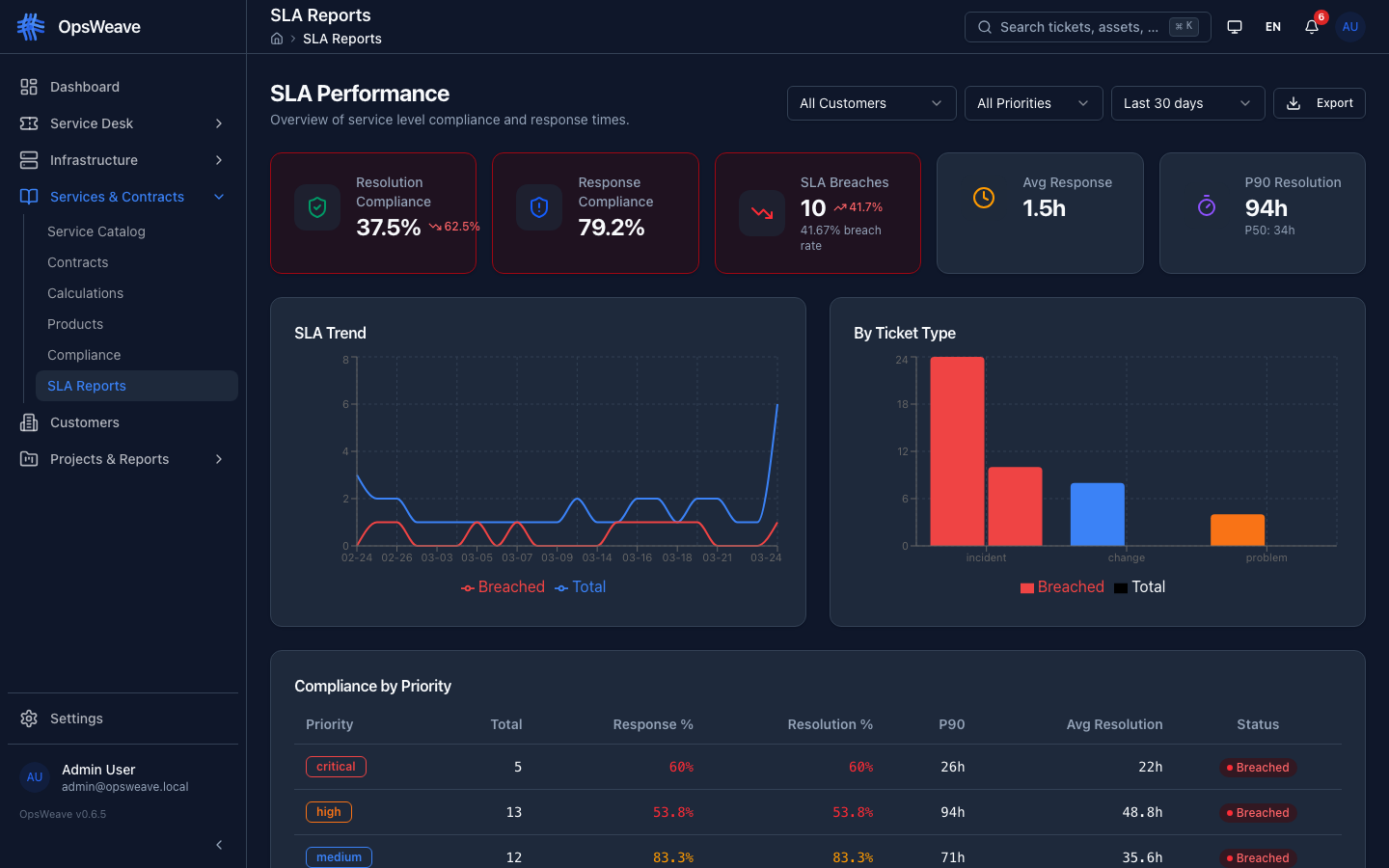
SLA Performance Reports
OpsWeave provides SLA reports with the following metrics:
| Metric | Description |
|---|---|
| Compliance Rate | Percentage of tickets within SLA deadlines |
| MTTR | Mean Time to Resolve — average resolution time |
| Breach Count | Number of SLA breaches in the period |
| Breach Rate | Percentage of tickets with SLA breach |
| Response Compliance | Proportion of tickets with timely response |
Reports can be filtered by:
- Time period
- SLA tier
- Ticket type
- Assigned group
- Customer
REST API
GET    /api/v1/tickets              # Tickets with SLA fields (sla_tier, sla_response_due, sla_resolve_due, sla_breached)
GET    /api/v1/tickets/stats        # KPI statistics including SLA metrics
GET    /api/v1/assets/:id/sla-chain # SLA inheritance chain of the asset
GET    /api/v1/settings             # SLA definitions in settings
PUT    /api/v1/settings/:key        # Adjust SLA times